WordPress & WooCommerce Maintenance: PHP Upgrade, Search Fix, and Security Audit
A returning client, Tessitorre, came to us with a request to resolve issues on a website we had developed some time ago. The site needed immediate WordPress maintenance to restore functionality and improve security.
The site ran on WordPress with WooCommerce, enhanced by additional plugins for advanced search and catalog navigation. Everything had been working perfectly, but after about 2 years problems with search began: products stopped appearing, and search autocomplete also stopped working.
An additional request from the client was to upgrade the PHP version on the hosting (it was still running 7.4, while 8.0+ had already become the stable standard). This PHP upgrade WordPress task was critical for maintaining security and plugin compatibility.
We took on the job and specifically chose nighttime hours based on the store's target audience so that, in case of downtime, it would cause as little inconvenience to users as possible. We decided to do a quick fix and accept possible disruptions rather than inflate the budget by setting up additional environments.
A classic WordPress backup plus edits directly on production at night helped minimize the impact on active users.
PHP Version Upgrade Process
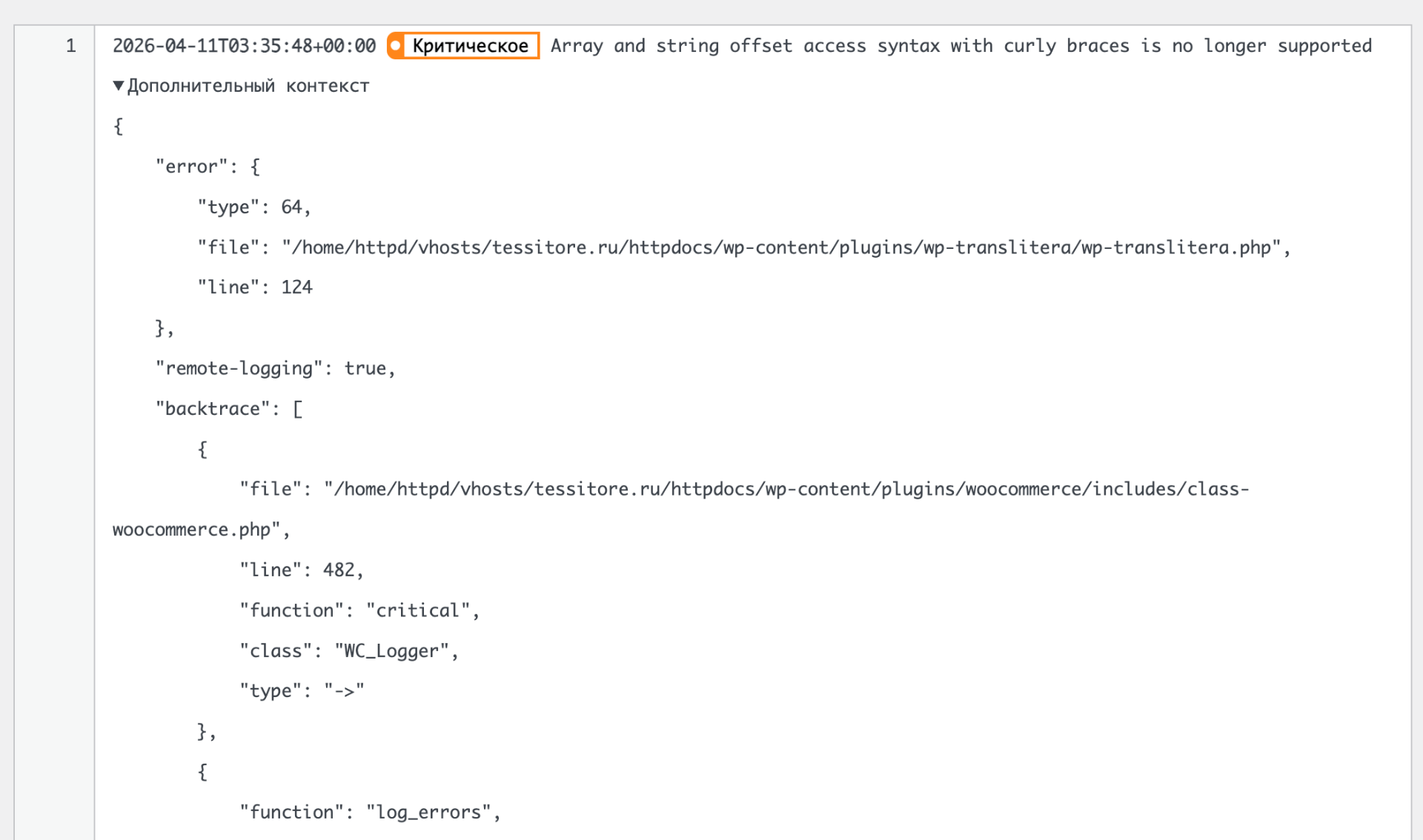
After diagnostics, it became clear that one of the plugins absolutely refused to work on the new PHP version — it had become so outdated that it was even removed from the WordPress repository: wp-transliritera. This is a common WordPress plugin compatibility issue that highlights why sites need regular WordPress maintenance.
Yes, this happens often, which is why it's rarely possible to build a site once and for all and expect it to run forever without issues. The end-of-life PHP version posed security risks that needed immediate attention.
We replaced it with a modern equivalent that supported PHP 8 compatibility and moved on to the next challenge.
WooCommerce Product Search Problem
The woocommerce-product-search plugin was used for search, with its own caching mechanism. After several attempts to get it working, nothing succeeded — the indexing would silently stop on one of the items. The logs, meanwhile, showed nothing useful about this plugin indexing issue.
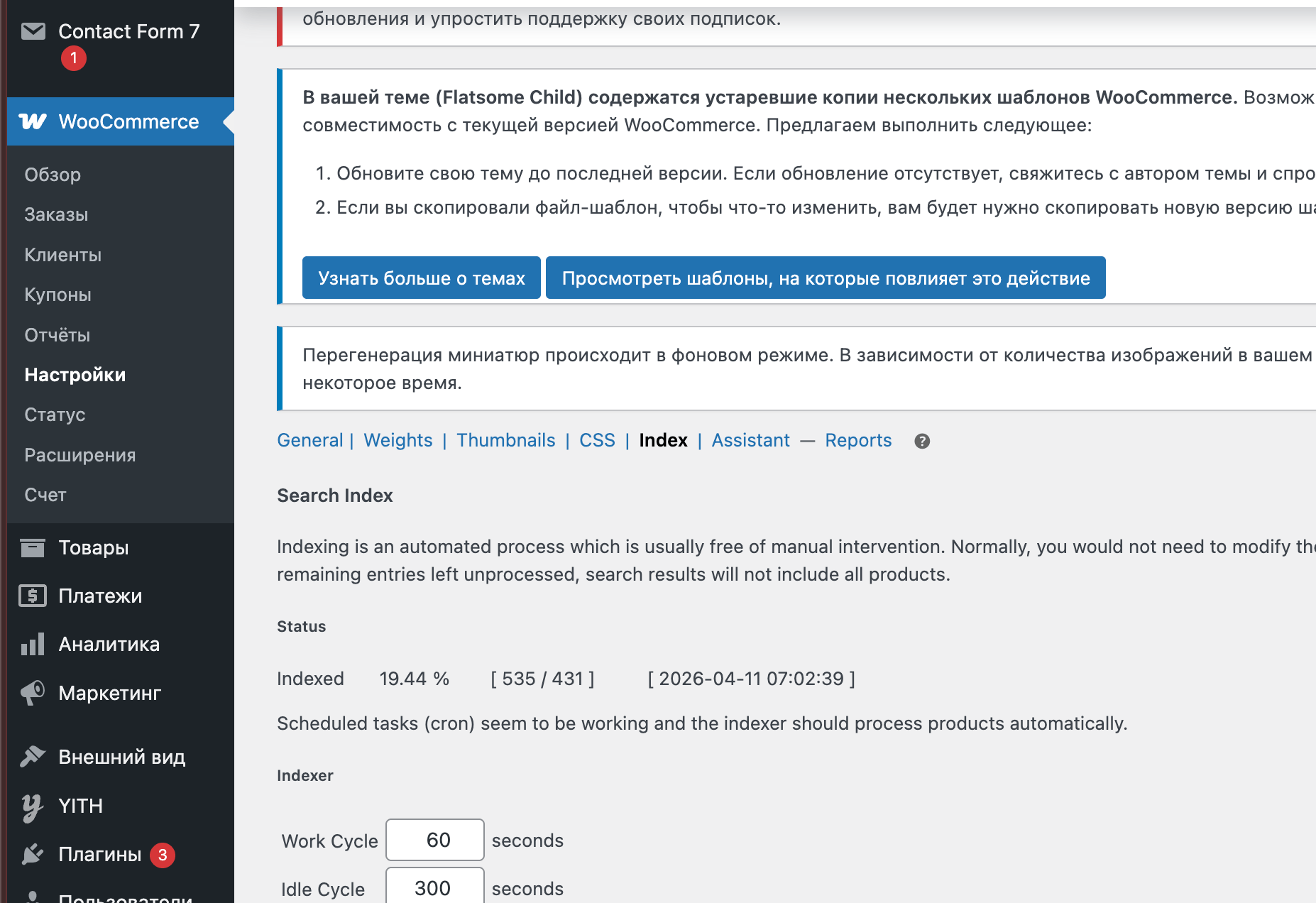
To save time — both ours and the client's — it was decided to update the plugin version through a careful plugin update process. This was now possible because we had already upgraded the PHP version, resolving the underlying WordPress plugin conflict.
In addition, we prefer to check all versions with an AI scanner for possible threats and hidden backdoors — just in case. The situation with malware threats remains challenging, so an extra WordPress malware scan is never unnecessary. After the update, everything worked perfectly and WooCommerce product search functionality was fully restored.
WordPress Security Audit Results
During the WordPress security audit, we noticed in the hosting control panel that during the period when nearly all clients were hacked, the hosting was under a massive attack. Thanks to the hosting provider for such questionable services — we have never encountered anything like this with other WordPress hosting security providers.
In any case, we recommend considering moving to another hosting provider with better website security hardening measures; our task is to warn the client about these risks. We also installed antivirus software and rechecked everything for malware — the system is clean.
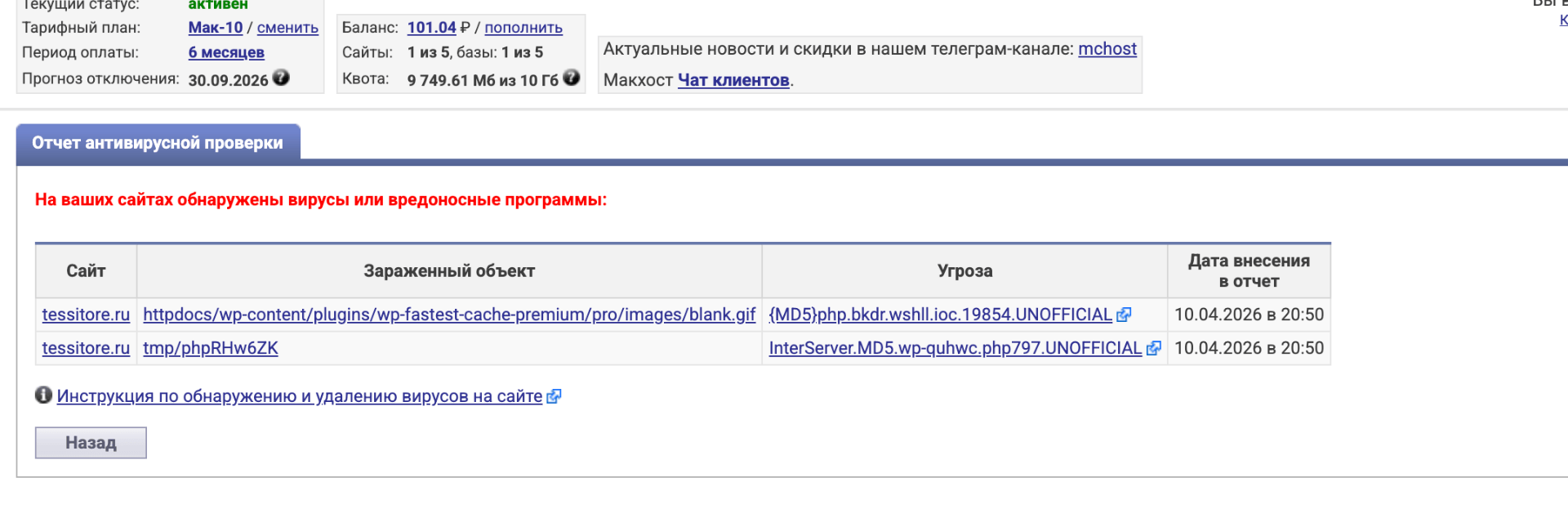
The security scan confirmed no WordPress malware was present, but the attack logs revealed the importance of proactive WooCommerce maintenance and monitoring.
Planning and Reporting
During the preparation phase, the client was provided with a document containing an analysis of the existing solutions and an upgrade plan. Security reports were generated for each updated plugin to confirm no threats were introduced during the plugin update process.
The comprehensive documentation covered all aspects of the PHP upgrade WordPress process, WordPress plugin compatibility checks, and security findings. The client is satisfied with the transparent approach and thorough WooCommerce maintenance delivered.
Below are the actual security scan reports generated during the audit:
If your website also needs maintenance, get in touch — we'll diagnose and maintain it transparently and without surprises.
Open for contract collaboration
I am available for contract-based collaboration. If you have an interesting project idea, schedule a call via Calendly.
Schedule a 30-min call